Whether you’re new to Discord or already a part of our vibrant community, this guide will help you access the Big Farm Discord server effortlessly.
Our Discord server is where our community thrives. It’s the perfect place for real-time conversations, updates, and connecting with fellow players. Our wonderful moderators also organize contests where you can win gold for your farm and so much more! We look forward to seeing you there! Follow the steps in the section that applies to you.
- I Do Not Have a Discord Account
If you’re new to Discord, welcome aboard! Here’s how to get started:
1. Download the Discord App:
For a smoother experience, download the Discord app on your computer. It’s more convenient than using the web version and ensures you’re always logged in. Download it from https://discord.com/.
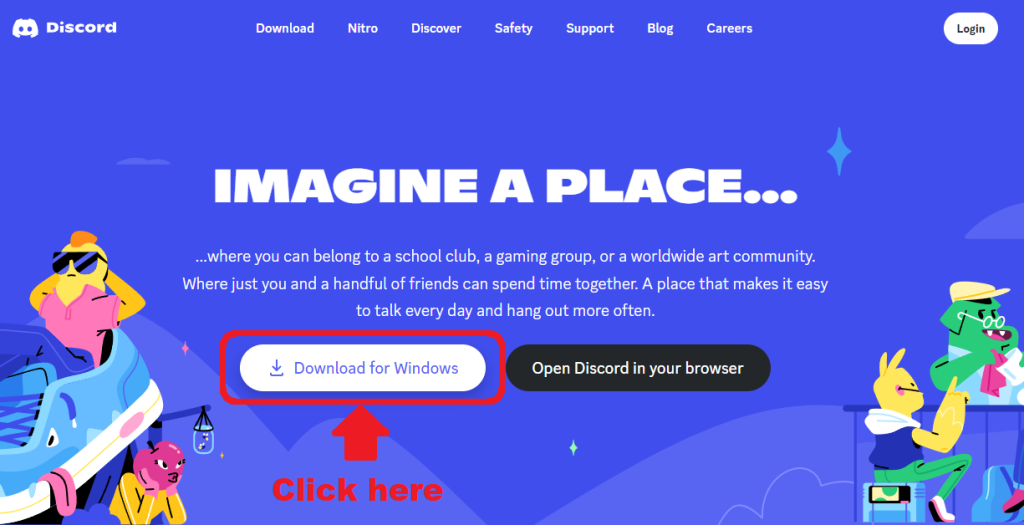
Click the button to download the Desktop app, or “Open Discord in your browser” for the web version.
2. Create Your Account:
Open the app or head to https://discord.com/ and click “Open Discord in your browser. If prompted for a nickname, you’re in the signup process!. Follow the steps to create your account using your email address. Please note that you are in no way obligated to use your phone number nor give it at any time, even if Discord reminds you to. That said, please note that adding your phone number is an extra security for your account.
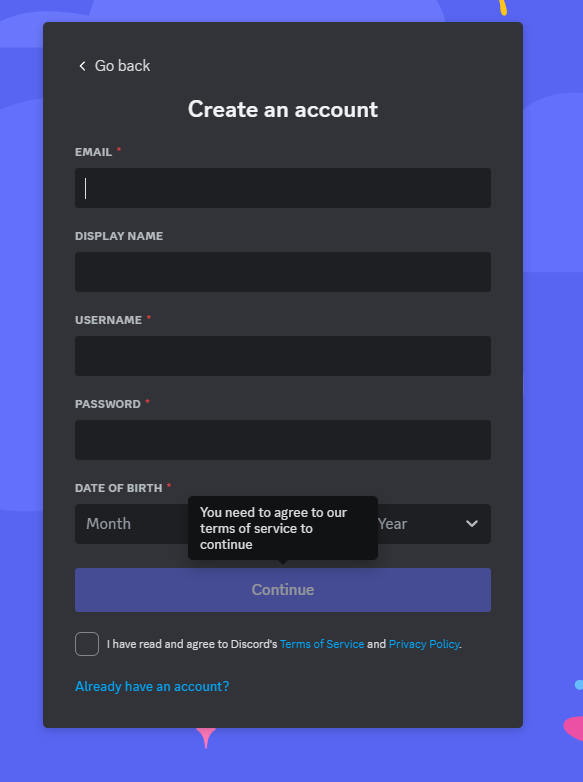
Window for registration on the Discord app or website. If you want to log in instead, click “Already have an account?” at the bottom.
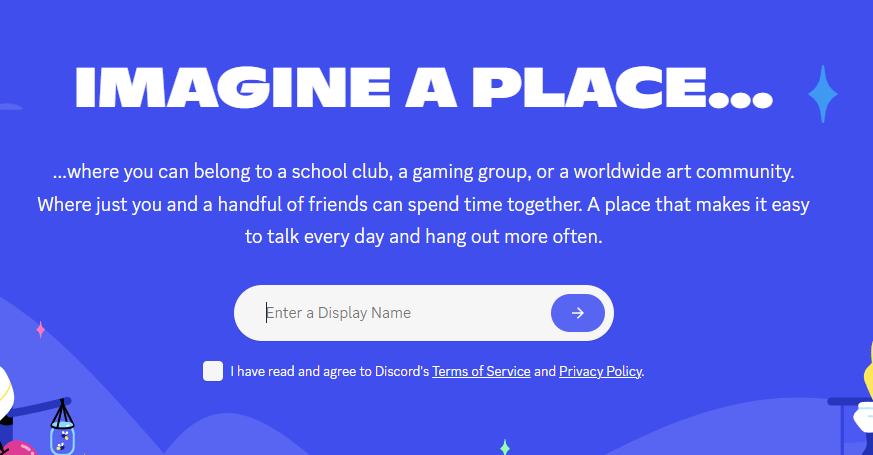
Registration window on the website, after clicking “Open Discord in your Browser. Notice that it asks for a nickname, which means registering a new account.
3. Join the Big Farm Discord Server:
Use our invite link: https://discord.gg/bigfarm to join our server. Remember, this link is only for your first-time entry. The second entry needs to be done exclusively through the Discord App, or by directly logging in on the discord website should you prefer using the website. (https://discord.com/). In that case, please click the “Login” button in the top right of the website. Once your account is already set up, please do not use the Discord button in the Big Farm: this button is only an invite link.
- I Already Have a Discord Account
-> I Don’t Have Access to the Big Farm Discord Server Yet
If you already have a Discord account but haven’t joined our server yet:
1. Log In to Your Account: Open the Discord app or go to https://discord.com/ and log in with your email and password.
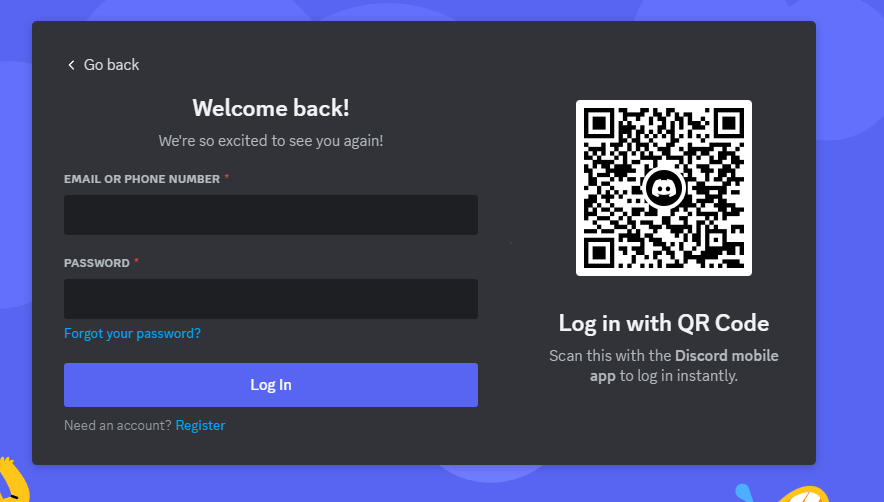

This is the login page in the app or on the website. Notice that it does not ask you for a nickname, but only your email address.
2. Join Our Server:
Click on this invite link https://discord.gg/bigfarm to join the Big Farm Discord server. This is a one-time link; future access must be done exclusively through the Discord App, or by directly logging in on the Discord website should you prefer using the website. (https://discord.com/). Once your account is already set up, please do not use the Discord button in the Big Farm: this button is only an invite link.
-> I Already Have an Account on the Big Farm Discord Server and Want to Go Back to It
For those already a part of our Discord community:
1. Accessing Discord: Ensure you have the Discord app installed. It’s the easiest way to stay logged in and access our server. Download it from https://discord.com/ if you haven’t yet.
2. Log In: Open the Discord app or website and log in using your email and password. If you’re prompted for a nickname, you’re accidentally trying to create a new account. Make sure to log in with your existing account details.
- Additional Tips
– A Rule Of Thumb:
If you’re asked for a nickname, you’re trying to create a new account! Once your account is created, you will always login with your email address and never with your username. Always make sure that you are on the login page if you already have an account!
– Staying Logged In:
The Discord app keeps you logged in, making it easy to access the Big Farm server without needing to log in every time. You can set the app to start automatically with your computer or not, based on your preference.
– Web Version Access: If you prefer not to install the app, bookmark
https://discord.com/app for easier access through your browser.
– Mobile Access:
Discord is also available on mobile devices. Download the mobile app to stay connected on the go.
